Most GenAI systems fail not because the model is wrong — but because the architecture around it was chosen without a framework.
Teams jump to agents, bolt on RAG, and layer frameworks until the system becomes slow, expensive, and impossible to debug.
The real problem isn't the model. It's the architecture.
The Architecture Problem Nobody Talks About
Every team building a GenAI product faces the same decision early on: how should we structure this system?
Most make that decision by copying whatever was in the last tutorial they read. Or by choosing whatever framework their lead engineer was already familiar with. Or — most commonly — by jumping straight to agents and multi-agent systems because that's what the conference talks are about.
The result is predictable. Systems that are over-engineered for their actual problem. Autonomous agents built for tasks that a prompt template would have solved. Multi-agent orchestration added before the single-agent case even worked reliably.
There's a cleaner way to approach this. There are seven canonical GenAI architectures, and they map cleanly onto a spectrum of increasing complexity. Understanding them gives you a decision framework instead of an architectural guessing game.
This article maps all seven. For each one: what it is, when to use it, and what breaks if you choose it wrong.
The Spectrum
Before diving in, here's the full picture:
flowchart LR
    L0[Level 0\nDeterministic Code] --> L1[Level 1\nPrompt App]
    L1 --> L2[Level 2\nRAG]
    L2 --> L3[Level 3\nLLM Workflow]
    L3 --> L4[Level 4\nTool-Using LLM]
    L4 --> L5[Level 5\nMulti-Step Reasoning]
    L5 --> L6[Level 6\nAutonomous Agent]
    L6 --> L7[Level 7\nMulti-Agent System]

    style L0 fill:#95A5A6,color:#fff
    style L1 fill:#6BCF7F,color:#333
    style L2 fill:#98D8C8,color:#333
    style L3 fill:#4A90E2,color:#fff
    style L4 fill:#FFD93D,color:#333
    style L5 fill:#FFA07A,color:#333
    style L6 fill:#E74C3C,color:#fff
    style L7 fill:#9B59B6,color:#fff
Each level adds complexity with a specific purpose. The further right you go, the more the system can do — and the harder it is to debug, observe, and operate in production.
The rule that experienced AI engineers learn the hard way: Start at Level 0 and move right only when the current level fails. Every step up the spectrum should be earned by a problem the previous level couldn't solve.
Every step right on this spectrum adds cost and complexity in proportion to what it adds in capability. That trade-off is worth making when the problem demands it. It's expensive and avoidable when it doesn't.
graph LR
    subgraph Cost_Complexity ["Cost + Complexity →"]
        direction LR
        C0["Level 0\nDeterministic\n💲"] --> C1["Level 1\nPrompt App\n💲💲"]
        C1 --> C2["Level 2\nRAG\n💲💲💲"]
        C2 --> C3["Level 3\nWorkflow\n💲💲💲"]
        C3 --> C4["Level 4\nTool LLM\n💲💲💲💲"]
        C4 --> C5["Level 5\nReasoning\n💲💲💲💲💲"]
        C5 --> C6["Level 6\nAgent\n💲💲💲💲💲💲"]
        C6 --> C7["Level 7\nMulti-Agent\n💲💲💲💲💲💲💲"]
    end

    style C0 fill:#95A5A6,color:#fff
    style C1 fill:#6BCF7F,color:#333
    style C2 fill:#98D8C8,color:#333
    style C3 fill:#4A90E2,color:#fff
    style C4 fill:#FFD93D,color:#333
    style C5 fill:#FFA07A,color:#333
    style C6 fill:#E74C3C,color:#fff
    style C7 fill:#9B59B6,color:#fff
Each level earns its complexity by solving a problem the previous level couldn't. If you can't name the specific problem that forced you to move up, you moved up too early.
Why Engineers Jump to Agents Too Early
Before mapping the levels, it's worth naming the force that pushes teams in the wrong direction. Most over-engineered GenAI systems weren't built by careless engineers — they were built by engineers responding to real pressures that pointed the wrong way.
Conference and content hype. The talks, blog posts, and demos that get the most attention are always at the frontier — autonomous agents, multi-agent collaboration, self-improving systems. Nobody gives a conference talk about a well-designed RAG pipeline. The signal is systematically biased toward complexity, which distorts how engineers perceive what's normal and expected.
Framework marketing. Agent frameworks are built to be used. Their documentation, tutorials, and quickstarts naturally showcase what they can do at full power — not what you should build on day one. When your tooling makes it easy to spin up an autonomous agent in twenty lines of code, the path of least resistance points at agents regardless of whether that's what the problem needs.
Misreading problem complexity. "The user can ask anything" feels like it requires an agent. Often it doesn't — it requires a good intent classifier (Level 3) and a set of well-scoped handlers at lower levels. "We need to query live data" sounds like it needs a tool-using agent (Level 6). Usually it's a tool-using LLM (Level 4) with a single database call. The gap between how a problem feels and what architecture it actually requires is where most over-engineering happens.
The framework in this article is a corrective for exactly this. Use it before you start building, not after you've already committed to an architecture.
Level 0: Deterministic Code
What it is
No LLM. No model. Just code.
Rule-based logic, if/else branching, regex, structured data processing, database queries, traditional APIs. The input space is well-defined, the logic is expressible as rules, and the output is predictable — because you wrote exactly what the system should do.
flowchart TD
    IN[Input] --> RU[Rules / Logic]
    RU --> VA[Validation]
    VA --> PR[Processing]
    PR --> OUT[Deterministic Output]

    style RU fill:#95A5A6,color:#fff
    style VA fill:#95A5A6,color:#fff
    style PR fill:#95A5A6,color:#fff
When it's the right choice
Any task where language understanding isn't actually required. Form validation. Invoice calculation. Data transformation pipelines. Routing based on explicit conditions. Structured report generation from known fields. CRUD operations. Classification over a finite, well-defined set of categories.
The diagnostic question - the Floor Test: can I write a unit test that fully specifies the correct output for any given input? If yes, you don't need an LLM. The problem is deterministic. Solve it deterministically.
This level also applies when you're integrating GenAI into a larger system. Not every component in that system needs to be AI-powered. The data validation layer doesn't. The authentication layer doesn't. The logging pipeline doesn't. Level 0 is what surrounds and supports the AI layers — and it should be most of your codebase.
What breaks if you skip it
LLM-washing. Wrapping a deterministic problem in an LLM call because it feels more modern, or because the team is in "AI mode" and reaches for the model by default.
The consequences are concrete: latency you didn't need, API costs on every request, non-determinism introduced into a problem that had a single correct answer, and a new class of failure modes — model errors, rate limits, provider outages — on a system component that never needed any of them.
A routing function that maps three known intent categories to three known handlers is a switch statement. It is not an LLM classification task. A date formatter is not a prompt engineering problem. A field extractor over a schema you control is not a RAG use case.
The fastest, cheapest, most reliable AI system is the one with no AI in it. Level 0 is not a fallback for when you can't afford AI — it's the correct architecture for problems that don't require language understanding.
The boundary between Level 0 and Level 1
The line is language understanding. The moment your input is natural language, ambiguous, open-ended, or requires interpretation rather than matching — you've crossed into Level 1 territory. Until that moment, stay at Level 0.
Go deeper: Choosing a GenAI Architecture — Part 2 builds the deterministic slice this level is made of, and the test that tells you when you have left it.
Level 1: Prompt Application
What it is
The simplest possible GenAI architecture. A user input goes in, a prompt template wraps it, the LLM processes it, a response comes out.
flowchart TD
    UI[User Input] --> PT[Prompt Template]
    PT --> LLM[LLM]
    LLM --> R[Response]

    style LLM fill:#4A90E2,color:#fff
No retrieval. No tools. No memory. Just a well-crafted prompt doing the heavy lifting.
When it's the right choice
More often than most teams admit. Text summarization, translation, code explanation, email drafting, classification, extraction — all of these are Level 1 problems. If your task is stateless, self-contained, and doesn't require external knowledge, a prompt application is the correct architecture.
The mistake teams make: they assume that "simple architecture" means "low quality output." It doesn't. A well-engineered prompt with the right model, careful output formatting, and good few-shot examples will outperform a badly designed RAG or agent system on the same task — while being dramatically cheaper to operate and easier to debug.
What breaks if you skip it
If you build a RAG pipeline for a task that only needed a good system prompt, you've added a vector database, an embedding model, a retrieval layer, and a chunking strategy to a problem that didn't require any of them. Every one of those components has its own failure modes. You've multiplied your operational complexity for no quality gain.
Go deeper on Level 1: Prompt Engineering Deep Dive for the parameters and guardrails, intent classification for the routing case, and chat templates for the layer between your messages and the model's actual input.
Level 2: RAG (Retrieval Augmented Generation)
What it is
RAG adds external knowledge to the LLM. The user's query is embedded, semantically similar documents are retrieved from a vector store, and those documents are injected into the prompt context before the LLM generates a response.
flowchart TD
    Q[User Query] --> E[Embedding Model]
    E --> VDB[(Vector DB)]
    VDB --> RD[Retrieved Documents]
    RD --> LLM[LLM + Context]
    LLM --> A[Answer]

    style LLM fill:#4A90E2,color:#fff
    style VDB fill:#98D8C8,color:#333
    style E fill:#FFD93D,color:#333
When it's the right choice
When the LLM needs access to knowledge that isn't in its training data — company documentation, recent events, proprietary data, or domain-specific content that changes over time. Company knowledge assistants, documentation chatbots, research assistants, and internal Q&A systems are all naturally RAG-shaped problems.
RAG is also the right move when you need the system to cite sources. A pure prompt application can hallucinate confidently. A RAG system grounds the response in retrieved content and can surface the source documents for the user to verify.
What breaks in production
Retrieval quality is the silent killer of RAG systems. Most teams focus on the LLM and treat the retrieval layer as a solved problem. It isn't. Chunking strategy, embedding model choice, retrieval ranking, context window management when you retrieve more than fits — all of these require careful engineering. A RAG system with poor retrieval produces confident, wrong answers that are harder to debug than an obvious hallucination.
The other failure mode: RAG on knowledge that changes frequently without a re-indexing pipeline. Stale embeddings lead to stale answers. Your knowledge base freshness and your retrieval freshness need to be in sync.
RAG doesn't eliminate hallucination — it grounds the model in a retrieval set. If your retrieval is wrong, the model's answer will be confidently wrong. Invest in retrieval quality, not just model quality.
Go deeper on Level 2: RAG Engineering in Production is an eight-part series on this rung alone — starting with the wrong retrieval strategy, chunking, and whether BM25 or dense retrieval wins on your corpus.
Level 3: LLM Workflow System
What it is
An LLM integrated into a controlled, deterministic pipeline. The LLM handles specific intelligent steps — classification, extraction, summarization — but the overall flow is orchestrated by your code, not by the model. The model doesn't decide what happens next; your pipeline does.
flowchart TD
    IN[Input] --> CL[LLM Classification]
    CL --> BR{Branching Logic}
    BR -->|Path A| P1[Processing Step A]
    BR -->|Path B| P2[Processing Step B]
    P1 --> SUM[LLM Summarization]
    P2 --> SUM
    SUM --> OUT[Output]

    style CL fill:#4A90E2,color:#fff
    style SUM fill:#4A90E2,color:#fff
    style BR fill:#FFD93D,color:#333
When it's the right choice
Document processing, customer support automation, resume screening, content moderation, invoice extraction — any task where the structure of the work is known and fixed, but individual steps require language understanding. The LLM handles the parts that need intelligence; the pipeline handles routing, sequencing, and error handling.
This is the most common architecture in enterprise AI systems, and for good reason. Workflows are predictable, testable, and observable. You can write unit tests for individual steps. You can monitor each stage independently. When something fails, you know exactly where.
What breaks if you move to agents prematurely
Teams skip Level 3 and go straight to autonomous agents because workflows feel unglamorous. The result: a system where the model decides what to do next, when a deterministic router would have been cheaper, more reliable, and easier to audit.
If your task has a fixed, known structure — document comes in, classify it, extract fields, validate, output — a workflow is the correct architecture. An agent that figures out this sequence on every request is solving a problem that doesn't exist.
Go deeper on Level 3: LangGraph or a while loop? You already have a runtime on what orchestration actually buys you, and Part 3 of Choosing a GenAI Architecture on why the compounding-error argument against this rung describes the wrong risk.
Level 4: Tool-Using LLM
What it is
The LLM is given a set of tools — functions it can call — and decides which tool to invoke based on the user's request. The tool executes, the result returns to the model, and the model generates a final response informed by the tool's output.
flowchart TD
    Q[User Query] --> LLM1[LLM — Tool Selection]
    LLM1 --> TD{Tool Decision}
    TD --> SQL[SQL Query]
    TD --> SEARCH[Web Search]
    TD --> API[External API]
    SQL & SEARCH & API --> TR[Tool Result]
    TR --> LLM2[LLM — Final Answer]

    style LLM1 fill:#4A90E2,color:#fff
    style LLM2 fill:#4A90E2,color:#fff
    style TD fill:#FFD93D,color:#333
When it's the right choice
When the user's request requires data that must be fetched or computed at query time — not retrieved from a static knowledge base. SQL assistants that query live databases, data analysis tools that run Python, API integration bots that need real-time data. The key distinction from RAG: the tool executes an action or query, not a retrieval.
What breaks in production
Tool schema design is where most teams struggle. If your function signatures are ambiguous, the model will call them incorrectly. If your error responses aren't informative, the model has no useful signal to work with when a tool fails. Tool-calling systems require the same engineering rigor as any API contract — more, actually, because the consumer is a stochastic model that will probe edge cases you didn't anticipate.
The other failure mode: unbounded tool calls. A model that can call tools in a loop, without limits, will eventually run an expensive query or make an unintended side effect. Rate limiting and consequence modeling are not optional at this level.
Go deeper on Level 4: Tool use in LLM agents, from local functions to MCP, MCP vs RAG vs tools for the boundary against Level 2, and tool registries that keep agents in scope for bounding the calls.
Level 5: Multi-Step Reasoning System
What it is
The system breaks a complex task into multiple reasoning steps, executes them in sequence, accumulates intermediate results, and synthesizes a final answer. The key distinction from a workflow: the decomposition itself may be dynamic — the model decides how to break the problem down, not just how to execute a fixed sequence.
flowchart TD
    G[Goal] --> TD[Task Decomposition]
    TD --> S1[Step 1 — Research]
    S1 --> IR1[Intermediate Result]
    IR1 --> S2[Step 2 — Analysis]
    S2 --> IR2[Intermediate Result]
    IR2 --> S3[Step 3 — Synthesis]
    S3 --> FA[Final Answer]

    style TD fill:#FFD93D,color:#333
    style S1 fill:#4A90E2,color:#fff
    style S2 fill:#4A90E2,color:#fff
    style S3 fill:#4A90E2,color:#fff
When it's the right choice
Complex question answering that requires multiple inference steps, financial analysis that needs to gather data before synthesizing conclusions, technical troubleshooting where the diagnostic path depends on intermediate findings. The problem is too dynamic for a fixed workflow but doesn't need the full planning and iteration loop of an autonomous agent.
Frameworks like LangChain, DSPy, and Semantic Kernel are primarily designed for this level. Chain-of-thought prompting, ReAct-style reasoning, and structured decomposition patterns live here.
What breaks if you overreach to agents
Multi-step reasoning systems are still largely deterministic in their structure — there's a defined start and end, and the reasoning chain has finite length. If your task genuinely needs open-ended planning, iterative execution, and the ability to backtrack based on observations, you're at Level 6. But most "complex" tasks don't. Before building an autonomous agent, ask whether a well-designed multi-step reasoning chain would solve the same problem with better reliability and lower cost.
Go deeper on Level 5: Why your AI agent finishes tasks but fails the goal, the oracle problem in agent control loops, and Part 4 of Choosing a GenAI Architecture on the boundary that separates this rung from parallel tool calling.
Level 6: Autonomous Agent
What it is
The system plans its own workflow. Given a goal, the agent reasons about what to do, selects a tool, executes it, observes the result, and decides what to do next — in a loop, until the goal is achieved or a stopping condition is met.
flowchart TD
    G[Goal] --> R[Reason]
    R --> ST[Select Tool]
    ST --> EX[Execute]
    EX --> OB[Observe Result]
    OB --> D{Goal achieved?}
    D -->|No| R
    D -->|Yes| OUT[Final Output]

    style R fill:#4A90E2,color:#fff
    style ST fill:#FFD93D,color:#333
    style EX fill:#6BCF7F,color:#333
    style OB fill:#98D8C8,color:#333
    style D fill:#E74C3C,color:#fff
When it's the right choice
Tasks that are genuinely open-ended, where the path to completion isn't knowable in advance and requires iteration based on real-world feedback. Research agents, code debugging assistants, autonomous testing systems. The defining characteristic: the model needs to backtrack, revise its approach, and adapt based on what it discovers.
The capabilities this level requires — planning, tool use, memory, and iteration — each add failure modes. Autonomous agents are the hardest GenAI systems to debug and operate. Intermediate states are hard to inspect. Loops are hard to bound. Side effects from tool execution are hard to reverse.
What production actually requires at this level
Token consumption grows with every iteration of the loop. Context windows fill up with intermediate reasoning and tool results. Without a context management strategy, long-running agents either fail with context overflow or start losing earlier reasoning that was relevant to the final answer.
Long-running agents also require a memory architecture — and this is a separate problem from context management. Three layers are typically needed:
- Short-term scratchpad — working memory for the current task: intermediate tool results, reasoning steps, partial conclusions. Lives in the context window. Cleared between tasks.
- Long-term vector memory — persistent knowledge the agent can retrieve across sessions: user preferences, past decisions, domain facts the agent has learned. Stored in a vector DB, retrieved semantically.
- Task history — a structured log of what the agent has done, what succeeded, what failed, and why. Used for resumption after interruption and for debugging when something goes wrong.
Most teams implement only the scratchpad and discover the other two when their agent forgets user preferences between sessions, or when they can't reconstruct what happened after a production failure.
You also need a consequence model before an autonomous agent touches anything with side effects. An agent that can write to a database, send emails, or make API calls that cost money needs hard constraints on what it can do, a dry-run mode for validation, and an audit trail for everything it executed.
Don't build an autonomous agent for a task a workflow would solve. The operational cost of Level 6 — context management, memory architecture, loop bounding, consequence modeling, debugging — is real. Reserve it for problems that genuinely require open-ended planning.
Go deeper on Level 6: Harness Engineering is an eight-part series on the layer this rung needs to survive production — plus context engineering, designing agentic systems that survive production, and the human-in-the-loop checkpoint membrane.
Level 7: Multi-Agent System
What it is
Multiple specialized agents collaborate to solve a task. A planner agent decomposes the goal and delegates to specialist agents. Each specialist handles its domain. A critic or verifier agent reviews outputs before they're surfaced to the user.
flowchart TD
    G[Goal] --> PA[Planner Agent]
    PA --> RA[Research Agent]
    PA --> EA[Execution Agent]
    RA --> CA[Critic Agent]
    EA --> CA
    CA --> OUT[Verified Output]

    style PA fill:#9B59B6,color:#fff
    style RA fill:#4A90E2,color:#fff
    style EA fill:#6BCF7F,color:#333
    style CA fill:#E74C3C,color:#fff
When it's the right choice
Tasks of genuine complexity that benefit from parallelism or specialization — where a single agent handling everything would produce lower quality than multiple agents each doing one thing well. Autonomous software engineering systems (plan, implement, test, review), complex research pipelines, multi-domain analysis.
The honest use-case bar: most production systems that call themselves multi-agent are actually Level 5 or Level 6 with extra indirection. True multi-agent systems — where specialization or parallelism provides a measurable quality benefit over a single well-designed agent — are less common in production than conference talks suggest.
What breaks in production
Coordination overhead. Every agent handoff is a potential failure point. Message passing between agents is a surface area for schema drift, context loss, and cascading failures where one agent's bad output poisons every downstream agent.
Inter-agent trust is also non-trivial. If your critic agent blindly trusts the execution agent's output, the critic adds latency without adding value. If agents can instruct each other to take consequential actions, you need authorization boundaries between them — not just within each agent, but across the collaboration pattern.
Observability at this level requires tracing across agent boundaries. A trace that shows you what the planner decided tells you nothing about why the execution agent failed three steps later. You need distributed traces that span the full multi-agent execution graph.
Go deeper on Level 7: Multi-agent topology patterns on where each topology tears, the five-mode failure taxonomy on what actually forces you up here, and AI Control Plane for running a fleet rather than an agent.
How Real Production Systems Combine These
The architecture levels aren't mutually exclusive. Most production GenAI systems are hybrids — they use different levels for different parts of the work.
A common enterprise AI assistant pattern:
flowchart TD
    Q[User Query] --> IR[Intent Router\nLevel 3 — Workflow]
    IR -->|Simple lookup| RAG[RAG\nLevel 2]
    IR -->|Structured task| WF[Tool Workflow\nLevel 4]
    IR -->|Complex analysis| AGT[Agent\nLevel 6]
    RAG & WF & AGT --> RESP[Response]

    style IR fill:#FFD93D,color:#333
    style RAG fill:#98D8C8,color:#333
    style WF fill:#4A90E2,color:#fff
    style AGT fill:#E74C3C,color:#fff
The intent router (Level 3) dispatches to the appropriate architecture based on what the user actually asked. Simple knowledge questions go to RAG. Structured tasks go to a tool workflow. Genuinely complex, open-ended requests go to an agent. Most requests never reach the agent layer.
This pattern has a critical implication for cost and latency: the router prevents the expensive architectures from running on tasks they're not needed for. An agent invocation costs 10x or more what a RAG lookup costs. The router is not just an architectural nicety — it's a cost control mechanism.
A Real-World Example: AI Customer Support Assistant
Abstract frameworks are easier to apply when you've seen them map to something concrete. Here's how a production customer support assistant breaks down across architecture levels — and why each component sits at the level it does.
The system handles four categories of user requests: general FAQs, account-specific queries, product troubleshooting, and everything that doesn't fit cleanly into the other three.
flowchart TD
    U([👤 User Message]) --> IR

    IR[Intent Router\nLevel 3 — Deterministic Workflow]

    IR -->|FAQ| FAQ[FAQ Lookup\nLevel 2 — RAG]
    IR -->|Account query| AQ[Account Tools\nLevel 4 — Tool-Using LLM]
    IR -->|Troubleshooting| TS[Troubleshooting Agent\nLevel 6 — Autonomous Agent]
    IR -->|Unknown / complex| ES[Escalation\nLevel 0 — Route to Human]

    FAQ --> R[Response]
    AQ --> R
    TS --> R
    ES --> HA[Human Agent]

    style IR fill:#FFD93D,color:#333
    style FAQ fill:#98D8C8,color:#333
    style AQ fill:#4A90E2,color:#fff
    style TS fill:#E74C3C,color:#fff
    style ES fill:#95A5A6,color:#fff
    style HA fill:#95A5A6,color:#fff
Intent Router — Level 3
The router classifies each incoming message into one of the four categories above. It's a Level 3 workflow — the LLM does the classification, but the routing logic is deterministic code. The model answers "which bucket does this belong to?" Your code decides what happens next based on that answer.
Why not Level 6 here? Because the structure of this decision is completely fixed. You know the categories. You know the routes. An autonomous agent deciding how to handle routing would be solving a problem that doesn't exist.
FAQ Handling — Level 2
"What are your business hours?" "Do you offer refunds?" "Where is my order?" Questions with answers that exist somewhere in your knowledge base. RAG retrieves the relevant policy document or FAQ entry and the model synthesizes a response grounded in that content.
Why not Level 1? Because the answers change — business hours update, policies evolve, new products launch. You can't bake them into a system prompt. They need to live in a retrieval store that gets updated independently of the model.
Account Queries — Level 4
"What's my current balance?" "When does my subscription renew?" "Show me my last three invoices." These require real-time data that lives in your database — not in any knowledge base. The model calls a tool (your internal account API), gets the response, and formats it for the user.
Why not RAG? Because this is live, user-specific data. No amount of retrieval from a static document store gives you a user's current account state. The model needs to execute a query, not retrieve a document.
Troubleshooting — Level 6
"My integration keeps failing and I've already tried restarting it twice." This is genuinely open-ended. The agent needs to gather diagnostic information, interpret it, try a resolution, observe whether it worked, and iterate. The path to resolution isn't knowable in advance — it depends on what the agent discovers as it goes.
This is the only component that earns autonomous agent complexity. And it's likely handling a minority of total requests — most messages route to Level 2 or Level 4 before they reach here.
Escalation — Level 0
Anything outside the classifier's confidence threshold routes directly to a human agent. No LLM involved. A deterministic rule: confidence below threshold, escalate. The cost of a wrong answer here is a bad user experience. The cost of routing to a human is a small operational overhead. Level 0 is the right call.
What this example illustrates
The majority of requests never touch the expensive layers. FAQ and account queries handle most of the volume at Level 2 and Level 4. The Level 6 agent fires for a fraction of sessions. The intent router costs one classification call per message. The system's average cost per request is much closer to Level 2 than Level 6 — because the router prevents the expensive layers from running on requests that don't need them.
This is the architectural insight that most teams miss when they build a single autonomous agent to handle everything: you're paying Level 6 cost on every request, even the ones that needed a RAG lookup.
The Decision Framework
Architecture Selection Flow
flowchart TD
    A([Start: Define Your Task]) --> B{Does the task require
language understanding?}

    B -->|No| L0[Level 0
Deterministic Code]
    B -->|Yes| C{Does it need knowledge
not in the model?}

    C -->|No| L1[Level 1
Prompt App]
    C -->|Yes — static docs/KB| D{Is the workflow
structure fixed?}

    D -->|Yes| L3[Level 3
LLM Workflow]
    D -->|No — dynamic| E{Does it need
real-time data
or tool execution?}

    E -->|No| L2[Level 2
RAG]
    E -->|Yes — single tool call| L4[Level 4
Tool-Using LLM]
    E -->|Yes — multi-step| F{Does it require
open-ended planning
and iteration?}

    F -->|No| L5[Level 5
Multi-Step Reasoning]
    F -->|Yes — single agent| L6[Level 6
Autonomous Agent]
    F -->|Yes — needs specialization| L7[Level 7
Multi-Agent System]

    style L0 fill:#95A5A6,color:#fff
    style L1 fill:#6BCF7F,color:#333
    style L2 fill:#98D8C8,color:#333
    style L3 fill:#4A90E2,color:#fff
    style L4 fill:#FFD93D,color:#333
    style L5 fill:#FFA07A,color:#333
    style L6 fill:#E74C3C,color:#fff
    style L7 fill:#9B59B6,color:#fff
The Questions in Order
Before choosing an architecture level, answer these questions in order:
Does the task actually require language understanding? No → Level 0. Write deterministic code. Don't introduce an LLM. Yes → Continue below.
Does the task require external knowledge not in the model's training? No → Level 1 is your starting point. Yes → Level 2 minimum.
Is the structure of the work fixed and known in advance? Yes → Level 3 (workflow). The LLM handles intelligent steps; your code handles routing. No → Level 4 or above.
Does the task require real-time data or external actions? Yes → Level 4 (tool-using LLM). More complex → Level 5 or 6.
Does the task require open-ended planning and iteration? No → Stop at Level 5. Yes, and a single agent can handle it → Level 6. Yes, and specialization or parallelism is genuinely beneficial → Level 7.
The most common mistake: answering "yes" to the last question when the honest answer is "no, but agents sound more impressive."
Architecture Comparison at a Glance
| Level | Architecture | When to Use | Primary Risk |
|---|---|---|---|
| 0 | Deterministic code | Structured inputs, fixed logic | None — this is the baseline |
| 1 | Prompt app | Self-contained language tasks, no external data | Hallucination, prompt brittleness |
| 2 | RAG | External or frequently updated knowledge | Poor retrieval quality, stale index |
| 3 | LLM workflow | Fixed pipeline with intelligent steps | Over-engineering simple tasks |
| 4 | Tool-using LLM | Real-time data, external actions | Tool misuse, unbounded execution |
| 5 | Multi-step reasoning | Complex analysis, dynamic decomposition | Cost, latency, reasoning drift |
| 6 | Autonomous agent | Open-ended tasks requiring iteration | Instability, hard to debug, cost |
| 7 | Multi-agent system | Tasks requiring specialization or parallelism | Coordination overhead, cascading failures |
The architecture that matches your problem's actual complexity is always better than the architecture that sounds most sophisticated. Production reliability, debuggability, and cost are all inversely proportional to unnecessary architectural complexity.
The Principle That Doesn't Change
Every architecture level solves a real problem. The point isn't that simpler is always better — it's that complexity should be earned by the problem, not assumed by the builder.
A multi-agent system running on a task that needed a workflow is not impressive engineering. It's expensive, opaque, and fragile. A prompt application that solves its problem cleanly is better engineering than an agent system that solves the same problem with three times the latency and ten times the cost.
Start at Level 0. If deterministic code solves the problem, ship it. If the problem requires language understanding, move to Level 1. Push each level until it breaks, then move up exactly one level — understanding what that level adds and what it costs.
That's how you end up with a system that's actually maintainable in production — rather than one that looked great in the demo and became a debugging nightmare six months later.
What is inside The 7 GenAI Architectures
This article maps the ladder. The book is the decision procedure, and it turns each of the seven boundaries above into a question you can actually answer in a design review.
Explore the book: 7genai.ranjankumar.in
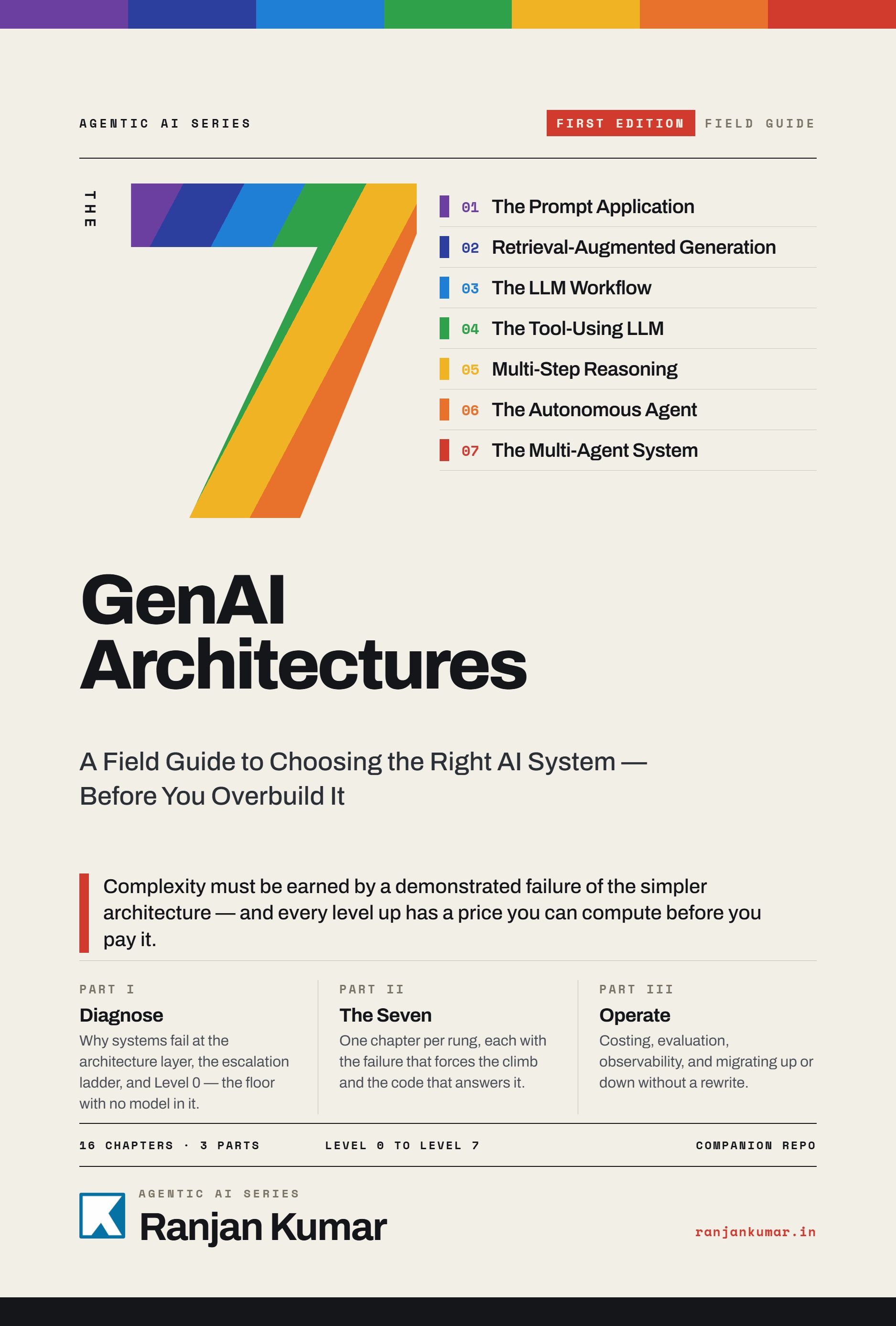
The 7 GenAI Architectures is sixteen chapters in three parts, built around one system — an incident triage assistant — that gets rebuilt at every rung so the comparisons are measured rather than asserted.
Part I — Diagnose. Why level inflation happens, all eight rungs at once, and the deterministic floor everything else is measured against. This part is where the seven boundary questions come from, along with the three artifacts that govern movement between rungs: the Floor Test, the Termination Test, and the Failure Receipt — a reproducible case the current architecture could not handle, which is the only thing that licenses building the next one.
Part II — The Seven. One chapter per architecture, each building the same triage system at that rung, with the token counts, latencies, and failure cases printed rather than described. Chapter 6 is the one I would point a sceptic at: a five-stage pipeline whose first stage was wrong produced the correct output anyway, because a later stage silently corrected it — which is a different and worse problem than the compounding error everyone argues about.
Part III — Operate. Composite architectures, costing, evaluation, observability, then the two directions of travel. Climbing has an artifact. Descending does not, which is why the book's own composite carries a rung that answers nothing additional and costs 26 percent more — measured in Chapter 11, still in production five chapters later. Chapter 16 is about why that happens and what a Removal Receipt has to prove.
The companion code is on GitHub and nothing about it requires buying the book: github.com/ranjankumar-gh/escalation-ladder.
Disclaimer
Framework and tool references in this article reflect the state of the ecosystem at time of writing. The GenAI tooling landscape changes quickly — specific library recommendations may be superseded by newer options. Always evaluate current documentation and community adoption before making framework choices for production systems.
References and Further Reading
- LangGraph Documentation — LangChain
- CrewAI Documentation
- AutoGen — Microsoft Research
- DSPy — Stanford NLP
- Semantic Kernel — Microsoft
- RAG Survey — Lewis et al. (2020). Retrieval-Augmented Generation for Knowledge-Intensive NLP Tasks. arXiv:2005.11401
- ReAct: Synergizing Reasoning and Acting in Language Models — Yao et al. (2022). arXiv:2210.03629
- OpenAI Function Calling Documentation
- Anthropic Multi-Agent Research
- Multi-Agent Systems on AWS Prescriptive Guidance
Related Articles
- The Agent Trust Problem: Why Security Theater Won't Save Us from Agentic AI
- Human-in-the-Loop at Production Scale: The Checkpoint Membrane
- Why Your Agentic RAG System Costs 10x More Than It Should


